The post 5 Best WordPress Themes for Small Businesses appeared first on Sidhi Digitall.
]]>1. Hello Fashion:
A theme for fashion, lifestyle, and beauty-themed blogs that works by highlighting your website’s visual elements to capture the visitors’ attention. It includes an image carousel with controls for the loops, captions, and transition effects. With this theme, you can also choose a header style and a homepage layout. These features allow you to get creative and decide how you want to showcase your content. Notable – newsletter integration, SEO friendly, live customizer.
2. Ocean WP: –
Ocean WP is a multipurpose WordPress theme that works perfectly for blog portfolio sites and online sites. It incorporates a full-width header image on the homepage, suitable for displaying a featured story or highlighting a product. Furthermore, if you want to start a business on your website, OceanWP provides eCommerce built-in features. This includes options to customize the number of upsells and cross-sells and the checkout page. Notable Features- Responsive design, in-depth customization options, and numerous extensions.
3. Zubin:
This is another free WordPress blog theme that enhances the visual elements of your site. It has a slideshow that allows you to display images of featured posts and add descriptions to them. Because of its versatile designs and flexible options, this free theme suits several niches, such as business, photography, and wedding sites. Zubin provides reliable support via a Forum where users can simply post a query if they ever come across technical issues. Notable Features – Featured Content; Mobile-Friendly Design; Support Forum
4. Hemingway: –
Comes with a full-width header image and a clean two-column layout. This theme offers a minimalist design and puts your content in the centre for optimal readability, making it a suitable option for text-heavy blogs. Despite its simplicity and quick setup, this free WordPress blog theme doesn’t offer much customization for beginners. Instead, it allows you to change accent colours and add a custom header image to fit your blog style. However, the drawback to this is that it doesn’t always work on mobile browsers. Notable Features – clean design, easy navigation, parallax scrolling.
5. Tracks: –
Tracks offer a dynamic approach to displaying your content. It presents recent posts along with short excerpts and featured images. It can fit any type of website, including photography, personal, and lifestyle blogs. This free blog theme also has a simple one-column layout and places the content in the page’s centre, directing readers’ attention. Other design modifications include uploading a custom logo, setting navigation menus, adding a site title, and creating a tagline. This theme allows you to customize the footer text. It allows you to add various elements and remove the link to the creator’s website. Notable features: mobile-friendly, easy customization, simple navigation.
Hey, we also created a blog on 6 Things You Must Know About How To Create Trendy Content? don’t forget to check that one.
The post 5 Best WordPress Themes for Small Businesses appeared first on Sidhi Digitall.
]]>The post 6 Things You Must Know About How To Create Trendy Content? appeared first on Sidhi Digitall.
]]>So now let’s talk about some ways in which you can also make trendy content –
Using Social Media
We all know how powerful social media is nowadays and how much it can boost your reach but how do we use that to our benefit while making sure that our content is still unique, firstly it gives us a great insight into what topics are trending and what people want nowadays, looking into Twitter trends can help us know what is keeping people interested, second sharing the content on social media in the form of Instagram stories, posts, etc, and then using trending hashtags to reach more audience.
Be Authentic
The content you make should be an insight into your personality, it should be your own thoughts and your spin on a particular topic, there are so many blogs and websites around but what makes you different that’s what you need your audience to know and the only way that is possible is if the content is authentic and not copied or similar to other popular websites.
Research well
Your content needs to be well-researched and verified, clickbait and twisted content can get clicks but if you want actual reach and audience you need to create content that your audience can trust, just making trendy content is not enough it needs to be good so as to attract more people on continues basis.
Find Your Niche
You might be good at making trendy content but if you don’t find your niche and focus on that, your content will eventually lose its worth, you need to see for yourself what particular kind of content you are good at and keep working on that while at the same time keep it creative and fun to keep your audience engaged, you can also take inspiration from people you follow and the content they make so you can add that to make your content trendy.
Consistency
Sometimes creating trendy content isn’t enough you need to be consistent with your content, you need to make sure that you are constantly giving your best, browsing through different trends and seeing how you can add your own ideas to that and make it better. Posting content consistently will help you gain a steady following that will keep you going.
Using keywords
Look for keywords that are popular and add those to your content so as to make sure that when people search about them your content can reach them hence making you get more reach, keywords can also give you an insight into what content people want to see and looking into that can give you an idea of what are the trending topics nowadays.
Conclusion
At the end of the day even though being trendy is important, you need to create content that you enjoy making and you as an audience would also enjoy reading or watching only then can you expect other people to check it out, also reach comes with time and patience so make sure you keep evolving with your content and be consistent then only will you be successful at creating trendy content.
Hey, we also created a blog on the best automation tools for your business don’t forget to check that one.
The post 6 Things You Must Know About How To Create Trendy Content? appeared first on Sidhi Digitall.
]]>The post Best Automation Tools for Business appeared first on Sidhi Digitall.
]]>Let’s check some effective Automation Tool
HubSpot
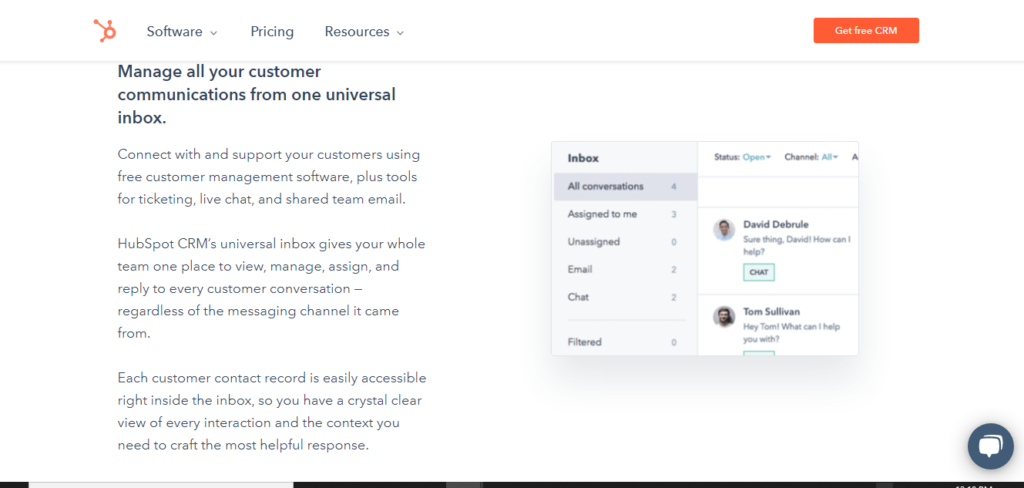
HubSpot is a marketing software platform that helps businesses in marketing and in selling more efficiently, they help in doing mundane marketing tasks without the need for human action, which includes email marketing, lead prioritizing, personalized advertising, etc. They offer lots of valuable benefits such as unlimited users means you can store as many as 1 million contacts, Email scheduling for newsletters and marketing campaigns, live chat for your website, allows you to keep track of your prospects, Blog and content creation tools, social media organization and scheduling, in-depth tracking of clicks through rates and impressions, Email sequence, email scheduling, meeting scheduling, Reporting dashboard all these features make Hubspot a very useful and best automation tool for business. So now, let’s talk about some of the best automation tools for business.
Zapier
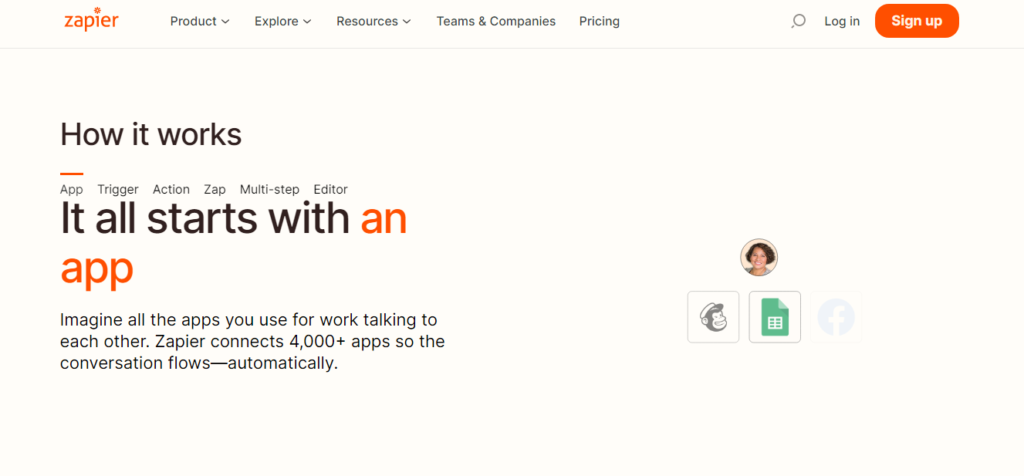
Zapier is an online platform that helps you automate workflow by connecting the apps and services you use. it offers excellent features that allow you to streamline your workflow; for e.g. – it enables you to connect your email to a to-do app and help you organize your work schedule, when organizing a big event, it helps you keep track of all attendees by generating a google sheet of all the names this can save you so much of your precious time, auto-reply or auto-response whenever someone mentions you in a post or message, helps you track your time in doing works task which can help increase work productivity, Help you keep track of sales and send customers messages on your behalf after a purchase, asking customers for feedback after a purchase or refund all these features make zapier another great platform to help boost productivity and save time.
Active Campaign
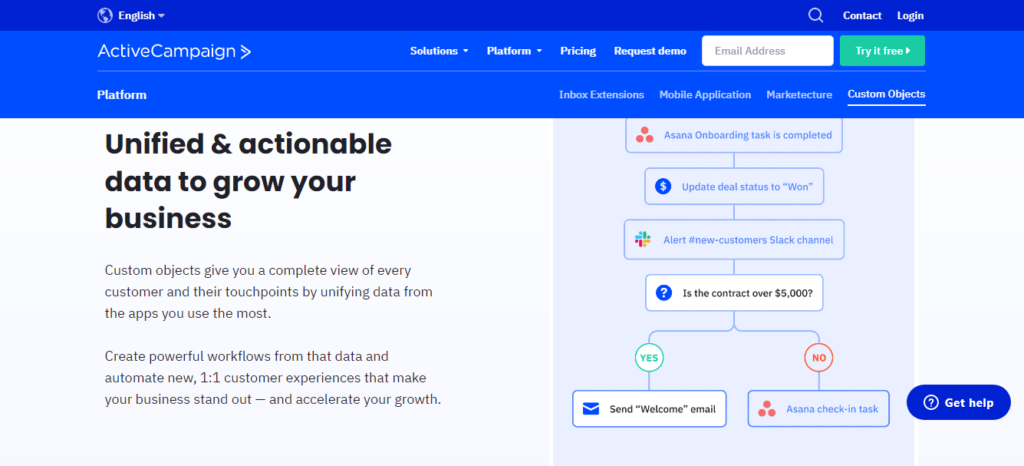
It provides you with email marketing, marketing automation, and CRM tools to help you create a customer base. The Active campaign uses precise targeting to find the right customer base, grow your existing audience, help grow your relationship with your audience by providing tailored guidance, and provide individual audience members with well-timed calls to action. The online platform makes it easy to run your marketing with contact management, email marketing, etc. The CRM with email and sales automation keeps your customer’s data organized on one platform. Help you make meaningful connections with your customers by providing you with tools such as site messaging, engagement tracking, and segmentation.
Grammarly
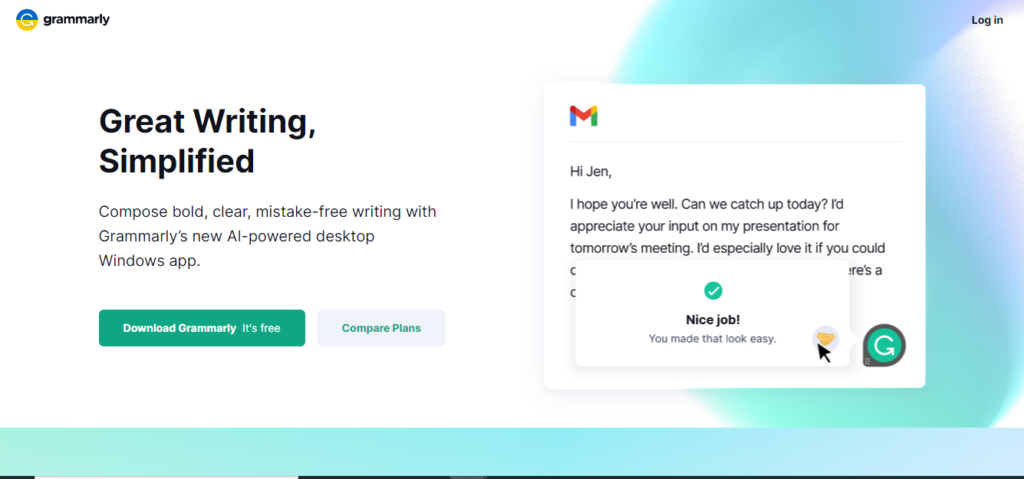
Grammarly is free software that helps you write better, all you need to do is add it to any browser as an extension after that it enables you to correct your grammar, write better sentences, check up on all your written content and gives you a better suggestion for all your professional emails, invites, blog post and whatever else you write. They even have a paid version that gives you better writing suggestions and makes sure that whatever you write is simple yet pleasing. Grammarly makes sure that whatever you write is mistake-free, thus making it a perfect automation tool for business.
Calendly
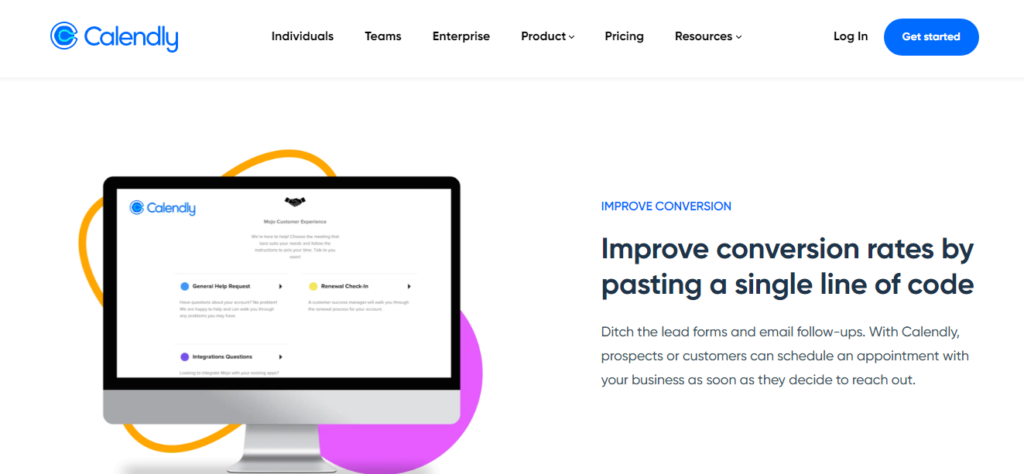
It is a scheduling platform that helps you schedule your meetings professionally and efficiently. Let calendly know your availability preference and it will create a calendar for you, and then, you can send guests your calendly link or embed it on your website, and then they will pick a time and event, and it will mark that on your calendar. This online platform helps you save so much time and supports scheduled meetings without the back and forth emails and hassles.
Activ Trak
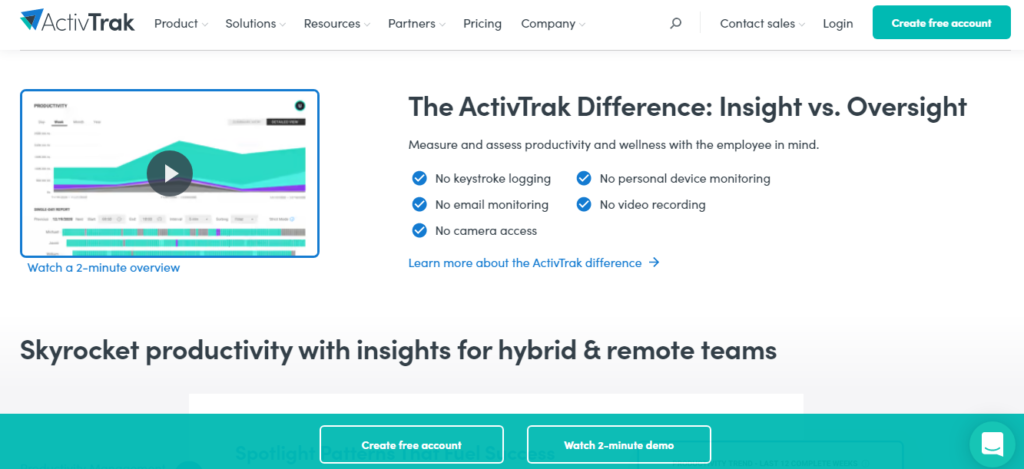
Is a workforce analytics and productivity platform that provides insights into workforce productivity through reports, dashboards, and data analysis. it uses machine learning to collect and analyze user activity data and generate understanding. The ActivTrak agent runs in the background while collecting data, executing a response to user activity, and sensing mouse and keyboard movement in the active window of the user’s computer. The data is then stored in a dedicated ActivTrack database that aggregates the database on users’ requests.
Hey, if you plan to launch your eCommerce store, we have created a blog on Shopify vs WooCommerce. The blog will help you choose the right platform for your online store.
The post Best Automation Tools for Business appeared first on Sidhi Digitall.
]]>The post Shopify vs WooCommerce Which one is better appeared first on Sidhi Digitall.
]]>An overview of WooCommerce Vs Shopify
Both are among the top most popular e-commerce platforms out there, and both are used across the globe to build professional and successful e-commerce websites.
WooCommerce is an open-sourced E-commerce platform that operates on WordPress. It means that it is entirely customizable as per the needs, which allows you or your developer to build and run a tailored online store for your customers.
On the other hand,
Shopify is an all-in-one platform, which means that you can use it to create an online store, accept your payments, control your inventory and manage orders from a single dashboard. After selecting a pre-built theme, start customising, and away you go.
Let’s compare those two broadly to let you know the exact difference between them and make it easy to choose one from them.
1)Statistics
As we have already mentioned, the worldwide use of both the platforms, but it is not until you see the accurate figures that you realise just how popular they both are.
Shopify hosts around 10000000 businesses across the globe. From 2016 to 2018, its stores generate around $183 billion in revenue in economic activity. And also, many Big brands are using it, including Kylie, Rebecca Minkoff, etc.
WooCommerce carries more than 200000 active stores worldwide. Moreover, it is used by 22% of the top one million E-commerce websites and has a market share of 94% E-commerce. Some famous brands using this to create their shopping sites include Singer, All Blacks, Weber, etc.
2) Features
Since Shopify is an all-in-one platform, it comes with abandoned cart recovery, discount codes and around 100 payment options already included in it. Also, it allows you free SSL (Secure Sockets Layer), which secures your website from hacking and malware attacks. This feature makes it slightly more relevant to buy a Shopify store.
Moreover, WooCommerce functions more like a build your E-commerce platform, which allows you to choose and add the extensions you require, many of which offer advanced functionality over Shopify’s basic features. You can select features as your business requirements. But In this, you need to buy SSL for your website, which costs per year.
Features conclusion: Which is better depends on your requirements. If you are looking for a quick and easy set up of an all-in-one product, Shopify wins. Moreover, if you want the flexibility to tailor the platform to your precise needs, WooCommerce comes out on top.
3) Seller tools
Both platforms do much more than help you to build your e-commerce website. They both allow you to market your business, delight your customers, manage orders with the help of a wide range of their seller tools.
Shopify offers many tools that can help you manage your store dashboard like invoice generator, finance calculator, image resizing etc. But these tools can be paid or subscription-based, increasing your cost of operating the store like a notification tool.
WooCommerce has a worldwide developer community that gives a plus point to WooCommerce. Thousands of plugins are available for free on WooCommerce, which helps you manage your website dashboards with AIO SEO and Yoast SEO. Website SEO, Constant Contact for Email Listing, Live Chat for CRM management, HubSpot for Automation, and many more functions.
4) Ease of use
There is no doubt about it that Shopify is a more accessible platform. It requires the limited technical ability to generate outstanding results quickly. Moreover, it runs automatic product updates so that you do not need to worry about doing it yourself in the future.
WooCommerce requires a little more technical competency, which can be confusing and time-consuming if you are a first-time store builder. Moreover, suppose you have the time and patience to get grips with it. In that case, you can build a highly customised and effective e-commerce website tailored to your precise needs, especially if you are already familiar with WordPress.
5) Customizability
Shopify has more than 50 paid and free themes to choose from and quickly tailor. This is great for first-time store builders and those with the help of limited technical abilities. But moreover, customization is limited to the theme. And If you require a unique store or location customization, you will need to upgrade to Shopify Plus – a sister platform aimed at enterprise brands.
WooCommerce is the opposite: a platform with open-source nature means that it is entirely customizable, and you have more than 800 themes to work within it. The platform is built by keeping developers in mind so that if you are working with a developer, it is excellent for creating a wholly unique store.
6) Payment methods
The significant difference between Shopify VS WooCommerce is the associated payment method costs. Both provide more than 100 payment gateways, including Apple Pay, credit and debit cards, PayPal, Square, and Stripe. These come either built-in or available via integration.
Primary Shopify users are charged at around 2% per transaction for providers other than Shopify payments. It also allows you for the COD (Cash on Delivery) option on the dashboard portal, but this feature works only in India.
While WooCommerce did not have a feature like this, they allow you to use a lot of payment APIs for payment collection like Razorpay, Paytm, PayU. Alternatively, you can also use your bank API.
Summary
As you can see, there are many factors to consider when deciding between Shopify vs WooCommerce. It definitely can be overwhelming if you are starting, mainly because not everything with running your online store is a one-size-fits-all answer.
Conclusion
It is easier to manage your website if you are a WordPress technical expert. Because WordPress is a combination of codes and plugins.
Or, if you want a quick result and have no money issues and want to focus on your customers and products, you do not want to entangle your hand in technical efforts. Go for Shopify, which gives you delivery and payment both without more technicality. It is easier to manage your website if you are a WordPress technical expert. Because WordPress is a combination of codes and plugins
You can also check out our previous blog on career options in Top 7 Instagram Tools for Business.
The post Shopify vs WooCommerce Which one is better appeared first on Sidhi Digitall.
]]>The post Top 7 Instagram Tools for Business appeared first on Sidhi Digitall.
]]>Here are some Best Instagram Tools You Should Use in 2022
Instagram Tool Analytics
Ads Manager: This is a platform used on Facebook(Meta) and Instagram to create and track the ads campaigns. It provides control and support with multiple ad exchange networks like Instagram Ads, Facebook Ads. It also provides advertisers with access to Facebook’s targeting capability. After launching, it will give you data for where your ads are most profitable.
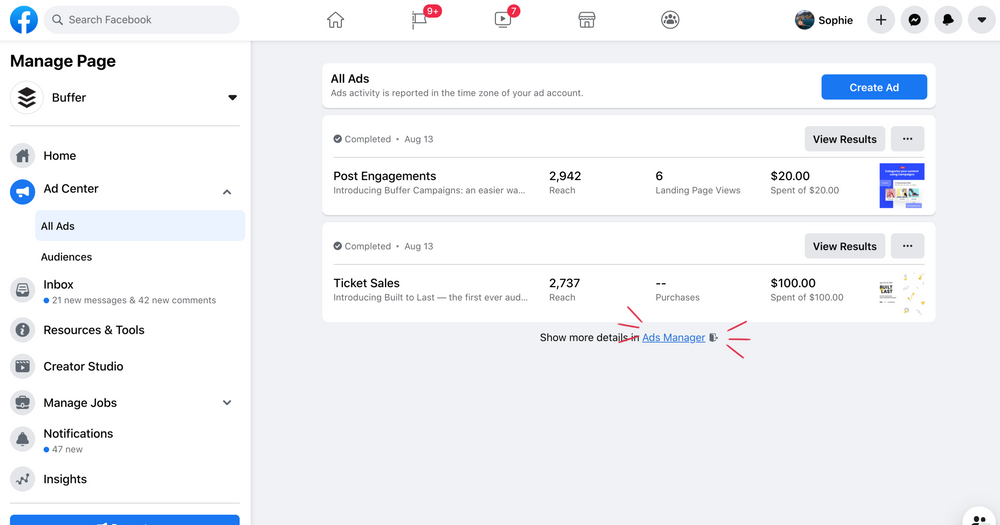
It not only allows you to monitor your ads, but you can also create ads like banners, videos for Instagram or Facebook. You can create ads to boost your post, page like, shopping ads, call action buttons, and lead generation. These ads run between more than ten plus different segments like the story, between reels and video, feed option and posts and many more.
Hootsuite: It is the most popular social media management tool, giving you a variety of features. You can create, schedule, publish, and manage your ad campaigns across social networks from a single dashboard. Its analytics has features that go beyond ‘Instagram’s analytics tool’.
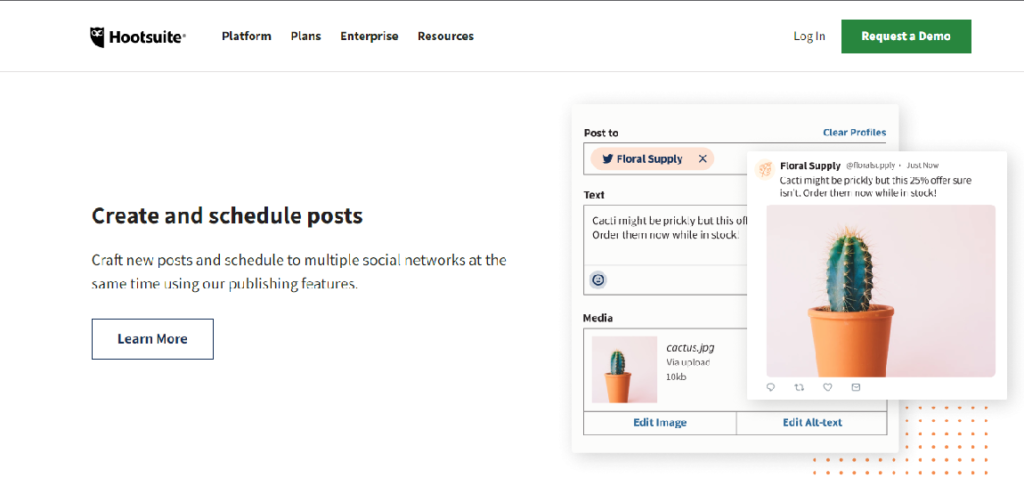
You can dig deeper into data from the past and run customizable or historical reports whenever the need arises. Using Hootsuite Impact, you can analyze your competitors. It becomes more beneficial to connect with Adobe Analytics and BI (Business intelligence) tools. Monitor your account’s response time and rank Instagram comments by positive or negative sentiment by Hootsuite. You can use its free version for one account or switch to a paid version that comes with $49 / month.
Content Creation Tools For Business Pages
Canva: Best tool for creators it is an easy drag and drop image editing tool to create posts, micro-video ads and YouTube thumbnails, presentations and book covers. Canva allows you to customize image sizes that are available for different social images (featured images, posts, covers etc.).
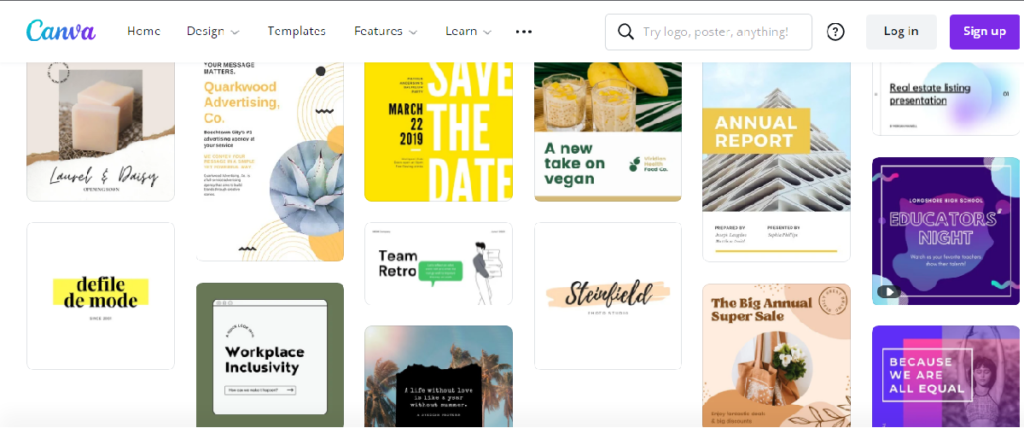
You can use its wide range of predesigned template libraries to design in minutes. Where lots of free and paid templates are given, from which you can select and used to create custom posts according to your need. Many font styles are also easily inserted or can be created. And you can save photos for which size and format you require. You can also automatically put your company watermarks on designed images. After switching to pro, you can connect with all your designers and organize by creating separate team-based folders and accessing new features.
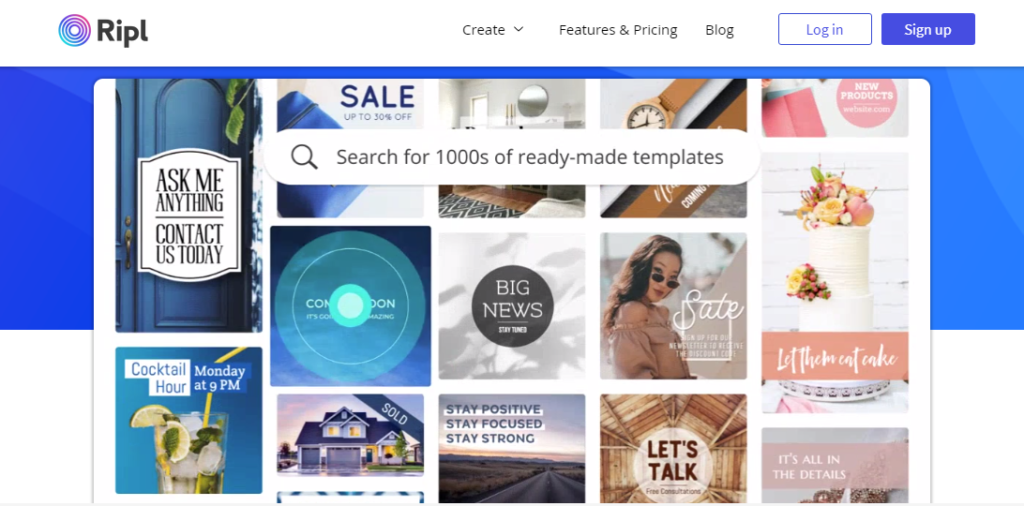
Ripl: is used to create animated videos for social accounts; here varieties of stock visuals you can find. 1000+ ready-made templates are designed to give you. Also, easily edit texts, change colours to create a unique video for your social account. Over 3.5 million small businesses worked with it. It starts at $14.99/month, so you can choose from $119.88 yearly.
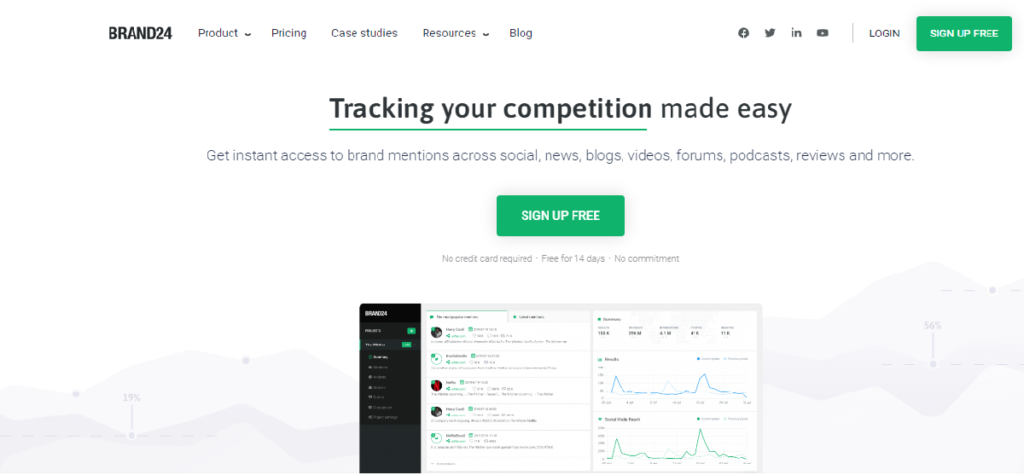
Brand24: This one is a paid tool that offers you to communicate with your followers. The tool monitors all the feeds where anyone is discussing your brand across the social media platform. It ensures that you never miss a comment or post about your brand, whether positive or negative, which can help you judge the success of your ads campaign and help you identify the problems with your brand identity.
Content Calendar Tools For Social Media
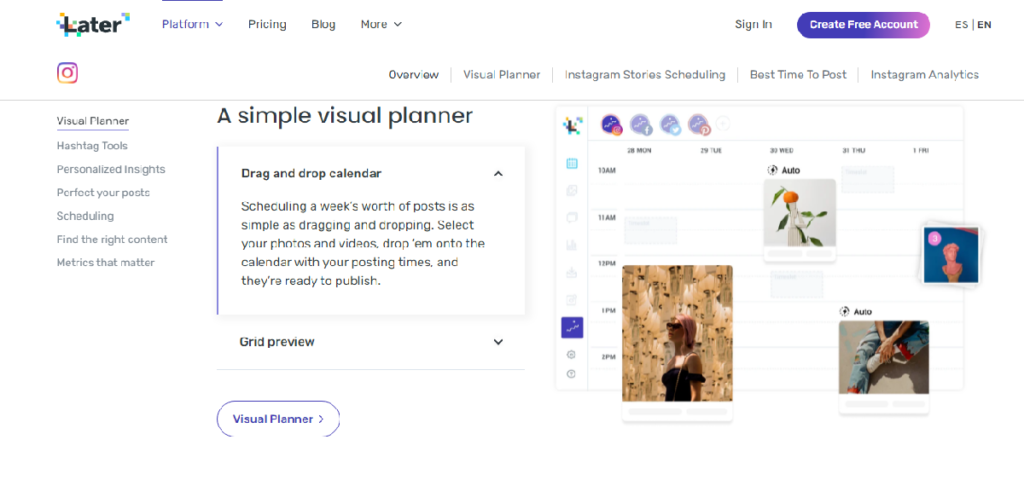
Later: This tool is designed to manage all your social media, which helps small business owners and creators. It makes it easy to schedule social media posts to every platform you can upload stories, videos and photos. Also, give you a calendar to arrange your post publication date. It provides a link in the bio function, which turns your viewers into customers. The tool offers you ten free scheduling for a single media account per month.
Instagram Hashtag tools
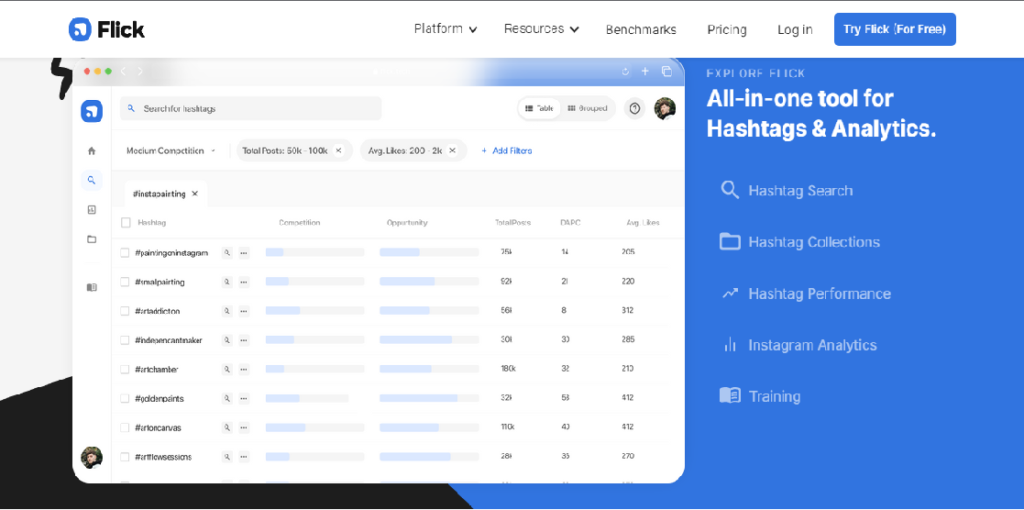
Flicker: It allows you to research hashtags for your posts, reels and video. Also, offer your detailed reports of hashtags in matrix form and your ranking reports. No unique posts rank on that hashtag, It is used and trusted by 20000+ creators and brands to finalize their hashtag. This is one of the best tools for Instagram in the market. It covers all data types, like how often hashtags are used and average likes and engagements. Also, easily accessible from any device, comes with the minimum monthly $7 to $40 plan.
Conclusion
There are a lot of tools that give you an edge to manage all your social media accounts and content for marketing. Here, we cover
the top 7 Instagram tools for your business. Even if you are a content creator, these tolls can also help you manage.
The post Top 7 Instagram Tools for Business appeared first on Sidhi Digitall.
]]>The post Why SSL Certificate important for website? appeared first on Sidhi Digitall.
]]>Let us explain how SSL certificates are essential and their benefits for your website.
What Is an SSL Certificate?
SSL stands for Secure Socket Layer. The backbone of the website provides a safe internet suffering, and it protects all your sensitive information across the internet world. It includes privacy, protection against hackers and data integrity for both website owners and users.
SSL is a secure protocol that allows an encrypted connection between the web server and the internet browser. Encrypted all the data transmitted between an internet user and web server by using an encryption key.
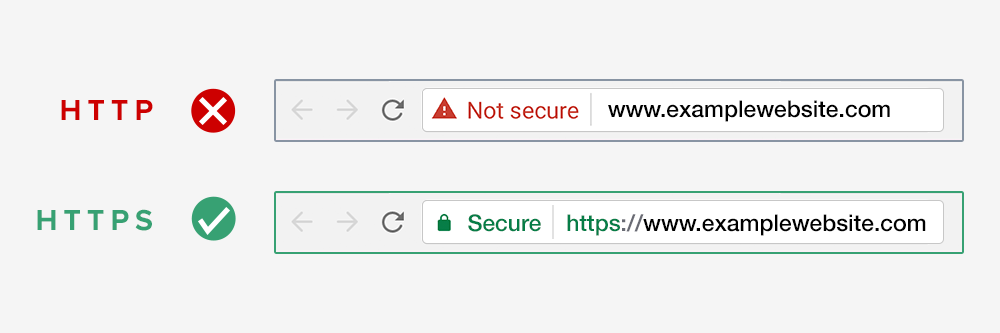
To establish whether or not a website has been installed with an SSL certificate, you have to check for a padlock in the address bar of your browser. Websites with an SSL certificate will thus appear as HTTPS instead of HTTP.
Why Security is Mandatory for websites?
Online security has become a fundamental necessity for any website. The increasing number of cyber breaches and insecurities have left most websites in devastating situations. Google wants to correct this trend, and it will require all websites to have an SSL certificate. In July 2018, Google announced plans to flag all websites without SSL certificates.
1.User Protection
One of the significant features of SSL is to offer user-protect data. It secures the data in transit between server and browser. Such information can be login details, signups, addresses and payment or personal information.
2.Protection Against Hacking
Nowadays, each website collects user-sensitive information like phone numbers, addresses, credit card details, and so on. SSL converts all the sensitive data into encrypted data, so only the intended recipient can access it.
3. Search Engine Ranking
In 2014, Google announced their new security update that those websites that don’t have a Secure layer Google will warn the user that these websites are not safe for you, and they will drop down your search ranking
4.User Trust
All protected websites have gained their user trust indicator known as “Padlock”. This padlock indicates that the website is secure because of SSL encryption. This is a crucial point for commercial and e-commerce websites since those businesses often deal with a customer’s personal information. This increases users’ trust.
5.Meets PCI Standards
Comply with the Payment Card Industry Data Security standard. Which is a set of security standards to ensure all companies who process, accept, store or transmit credit card information maintain a secure environment. It is mandatory to have proper encryption from a trusted source with minimum 128-bit SSL security. It is compulsory to create a private section for users to enter their details.
Type of SSL Certificate should You Go For?
Domain Validated SSL
This certificate covers multiple domains and offers a lower level of encryption. They display a green lock in the browser to indicate the website’s authenticity.
Extended Validated SSL Certificate
Public-facing websites, which give users login information, make online payments, EV SSL gives the highest level of authentication for securing sensitive data. It will provide a green URL with a padlock symbol in the user’s address bar. Website owners must write their terms and conditions to verify their brand identity.
Organisation Validated SSL Certificate
Registered business owners have to encrypt the users’ sensitive pieces of information (while the translation process). Using OV SSL certificates is the least expensive solution with a moderate level of encryption. It takes some identity information about the site operator before issuing these OV certificates.
Wildcard SSL Certificate
Wild cards work similarly as the other SSL works. They give the advantage to secure all your subdomains in a single wild card charge. If you have subdomains, You can save your money and the set-up and maintenance time for every subdomain by using wildcard SSL certificates.
Is SSL expensive?
Now that you understand what SSL certificates are and why they are so necessary for the security of your websites, the question you should be asking yourself is how much it costs to install an SSL certificate on your website.
The actual cost of installing an SSL certificate usually varies depending on the web hosting provider that you choose for your website as well as the type of SSL certificate that you choose to go for. There are a lot of cheap SSL certificates that can give you the essential encryption services to your website.
Conclusion
To run the e-commerce sites, buying a quality SSL certificate from a replicated and trusted source is essential, Which helps you boost your site on SERPs and gain your users’ trust.
you can also check out our previous blog on career options in blogging vs vlogging.
The post Why SSL Certificate important for website? appeared first on Sidhi Digitall.
]]>The post Blogging Vs Vlogging | Which one is good for You in 2020 appeared first on Sidhi Digitall.
]]>The common target of these two segments is to pull the maximum amount of traffic to the respective website. These websites can be personal and majorly for promoting a business. Both segments generate revenue for the host, owner, or organization. It’s very difficult to decide which medium is better for which business.
Difference between Blogging vs Vlogging
Blogging Definition:
A blogging is a website that allows users to share opinions, reflect, and discuss various topics in the form of journals, news or articles. Users who handle blogs are called Bloggers. The blog was adapted from the word “Weblog” and that was invented in the initial ’90s (between 1990-1991) to define a website used by people to write a kind of blog.
A few years later the term blog was adopted and became more popular among people. One of the qualities that started to separate a blog from different sites is that the content appears in reverse chronological order, the most up to date first. A blogger creates its content in a written form.
Something that is currently regular in different administrations, especially social networks. Bloggers utilize different website platforms, for example, WordPress, Weebly, Wix, Blogger, Tumblr among others to plan and deal with their Blogs.
Vlogging Definition:
Vlogging is a weblog that utilizes video as its essential introduction group. Users who handle Vlogs are called Vloggers who use site stages like Ziggeo, YouTube, WordPress, or Medium among different locales to plan and deal with their Vlogs.
With the appearance of video platforms, especially YouTube, vloggers started to emerge, that is, people with a video blog, who were not writing instead, they were telling the camera their ideas, thoughts, opinions, and assessments on any topic. Numerous Vloggers have become famous and their major audience is teenagers. Vloggers are expressing their ideas and making content using videos. Vlogs are just a video version of Blogs.
What do we need to make a blog?
Bloggers need a website and that can be created at very nominal cost including the cost of hosting and domain. Once they are ready with that, immediately they can start writing and publishing their articles or their views on any topic.
They only need a computer, a website and a good internet connection. If they want to follow the traditional method they are going to need a pen and a piece of paper. Bloggers need to understand that they have written catchy content that can hold their viewers, so they have to make sure that content is interesting and tending.
It does not mean that they can write anything to make it an interesting article. Besides, it is supposed to be true and relatable to people who are going to see that.
What do we need to make a vlog?
As its pretty obvious Vloggers represent their content using videos. It means they need appropriate video production tools or equipment’s to complete their work. Usually, they have a complete set of respective tools that are directly proportional to the quality of video they want to achieve. The basic need of Vloggers starts with a camera for video, mic for audio and their supporting equipment like tripod or gorilla pod to provide stability in the video. If they are shooting indoor which leads them to the expense of lighting and Costly background? In some video they also need hair and makeup artists. The last but not the least A good quality paid video editing software
Blog Niche
Bloggers are confused about what they should write about. So, here are a couple of points which can exactly explain from where to start:
Look upon your passion
The simplest way to start writing is to start writing about your passion. If the Blogger is passionate about something it can be his masterstroke or an earlier fling. Also, this is going to be his area of interest so he will explain the best.
Complete the Blogs you read
As a Blogger you also read some blogs and you have an inbuilt gut that will show you what was missing in that blog. Blogger needs to fill the void by writing those things which he thought were missing.
Teach what you know
If a Blogger is knowledgeable about any particular topic, then he can use his knowledge to help others. There would be something in his life on which his family, friends & peers would always take his advice. It could be decoration, cooking, or anything; it will be his core competency to share the knowledge.
Solution vs Problem
A wise man said the business always runs like a lock and key. It’s just you have to understand the value of a lock and the need for its key. Problems respected for anything will be the lock and its solution will be the key. It will pull the organics mass of traffic when you choose the right lock and help people with its key.
Show what you are learning
It’s an unfortunate mindset that most of the bloggers think that they have to be an expert in a given specific field to be a blogger. But if you share your journey that what you have learned and the difficulties you have faced so far to learn in that field, it can pull similar traffic as compared to an expert in the same field.
Vlog Niche
Every Vlogger in the world has the same question for them – “What is the best idea to make a channel more popular?” And to make this happen they need to pull some experiments and think out of the box.
Here are some good ideas that can help you to do so:
How-to Videos
A huge number of people use various online platforms for tutorials. Vloggers should take advantage of that fact and also if they know a lot about certain things. They can also create some ‘how-to videos” to represent their knowledge and expertise for their audience. They just have to understand that there is a need for using the same method of lock and key. If they catch the exact lock the respective key will be the first step to their success.
Challenges Video
Vloggers have to understand that the latest trending challenges are the hottest recipe to serve their audience. But they have to use the basic idea of the challenge with a unique approach of execution. If they understand the entire agenda behind that challenge and the respective video gets viral, it can provide them a new height in the Vlogging world over a night’s span.
Rant about topics that annoys
People find enthusiastic individuals inspiring, so don’t be hesitant to invest a few feelings in your videos. You can make a rant video about things you feel annoying that will take you to YouTube fame. Our suggestion is to do that only in case you’re exceptionally acquainted with the subject. You can’t tell about the things that you know nothing about and will sound uninformed, yet your crowd won’t care about what you’re talking about. Instead, they should be highlighting the things they are expert at.
Interviewing a Celebrity
Vloggers can make a video with any famous individual and it will pull in an enormous number of viewers. If you manage to make an interview with a celebrity, your views are guaranteed to go up extremely fast. Unfortunately, this is much easier said than done. The truth of the matter is that celebs would prefer not to offer interviews to every random person. To get the opportunity to converse with them, they have to have enormous popularity among their audience. The most ideal approach to connect with them is through destinations like Twitter, Facebook, or Instagram.
Be Unique
Regardless of the specialty of any channel, it can be certain there are hundreds and thousands of other vloggers already dealing with it. On the off chance that you need to get popular, you have to stick out. Nobody needs to observe simply one more vlogger who recounts a similar story as every other person.
Finding a one of a kind subject, with no opposition, yet with an enormous enthusiasm of the viewers is almost impossible. A superior arrangement is a thought of the Vlogging style that is diverse to their rivals. For example, be a ridiculous interviewer whose primary theme is hip-hop.
The post Blogging Vs Vlogging | Which one is good for You in 2020 appeared first on Sidhi Digitall.
]]>The post Blogging as a Career in 2020 appeared first on Sidhi Digitall.
]]>Whatever the global pandemic has brought to us, one thing which has come up as a positive thing in our life is digitization.
Today, we are connected (and say, more closely) stronger and better- thanks to the digital and social media world.
Talking about the job sectors, many individuals faced a tough time with the layoffs, cost cuttings, and job freeze. On another side, we have many people who found their new love for work sitting at home. They are sharing their viewpoints, tips, and tricks, stories through Blogging.
2020 has given birth to many such opportunities that allow new and upcoming talents to come up and present to the world. You can be a writer, photographer, designer, web developer, and anything under the sun. This year is all about survival, but what better way than finding your passion during such inhibitions.
Thankfully, in this period, the employers are finally starting to believe that work-from-home is not about having a gala time with family; employees started learning the balancing act much better; the homemakers learned the digital working in a new way.
Well, the concept of Blogging is not new, and there have been many successful bloggers over the years. Many known bloggers are well settled and are into this business for decades now. They share their stories in a different manner or associate with brands to endorse the products.
Starting as a hobby, you can develop Blogging as a full-fledged job.
It is undoubtedly a more serious affair than what it seems. It is not only about the tough competition it has but also about the quality which one has to maintain throughout their career. Having said that, Blogging’s world is not limited to any, and the possibilities are endless.
If you wish to pursue Blogging as a full-time career, then you need to figure out your niche, work on developing your skills, and understand whom you want to target through your writing and visuals.
Once you start writing, you need to develop your technical side as well. Start learning about the different ways of research, SEO, writing skills, and then, of course, how to market it. Besides this, you should know how to present yourself and be consistent with your product and communication.
Blogging tip 1: You need to be patient and organized in this profile.
If you get to hold on to these hard skills and soft skills, you can start planning to earn money.
As a beginner in this profession, you can go for the online courses, which will give you a fair idea of how to take things forward. You can enroll in blog writing courses, SEO Marketing, and Content Planning courses.
Portals like LinkedIn, Udemy, Hubspot, and Coursera offer a varied range of courses in this segment.
Blogging is not only about posting your content on your portal. You need to be seen in the world out there. To earn money, it is a good option to get into cross-posting of the content. Reach out to the portals, fellow bloggers to collaborate and create the material which can be shared across.
Well, we all know you need to be in the mind of your audience throughout
Tip 2: Do not duplicate the content. Keep it authentic.
Blogging gives you an identity as a person and as a brand as well. Many paid associations can happen if you are good with content, and your audience is not fake.
We suggest, to be more effective in this field, one should go for
- Training in content writing– Today, when most businesses are hit, many companies are looking for free or intern based resources. Opt for any such provision and learn the corporate basics. Develop your skills under the professional.
Such courses will also help you in building your CV and portfolio.
- Networking- Network as much as you can. It not only provides you with many work opportunities, but it also allows you to know more about the market. You can join the communities and groups on social media sites as a blogger. It will improve your chance to explore the opportunities.
- Work from home- Blogging is a profession which doesn’t need an office or a cabin. Blogging can be opted as a part-time job. You can take on as many projects as you want, depending on your other commitments.
It is a good way to increase your learning horizon, build your portfolio, and earn some good money from various projects.
However, it is very important to create a healthy work environment during your work hours. It brings much effectiveness and better results.
Portals like Freelancer.com, LinkedIn do offer details on the part-time projects. Sign up and keep on exploring.
It won’t be wrong to say that Blogging is a profitable affair. There are various levels of bloggers. You can be a fresher and a professional earning in 5 digits out of it. It depends on factors like
- What is your niche
- How much time are you dedicating to it
- What campaigns are working for you
- How effective is your website
Tip 3: Be Consistent with your content.
To earn some more bucks, you can opt for ads and collaborations and make your work reach a wider audience. As a beginner, it is the simplest way to monetize. You can do google listing or invest in the media net.
With this, try doing some value addition for your client. Therefore, spreading word of mouth and providing more monetization opportunities.
Another way is to do affiliate marketing. It is considered the most profitable way.
As an intermediate blogger, you can start writing your e-books and start selling it. You can tie up with portals and e-commerce websites to sell them further. One should also promote such content on portals like LinkedIn and other professional setups.
You can also monetize your blogs by opting for native advertisements.
As a blogger expert, you can launch your online courses and training. It can be done in the form of text, presentation, and a video course. Promote it amongst your audience and let the world know your tricks. Today when everyone is looking to bring financial stability in life, there is no harm in investing in such things and helping others.
You can also go for direct advertisements, sponsored reviews, and run brand campaigns to earn more.
As a blogging professional, you can also offer services in SEO, content writing, etc.
2020 as it may sound stressful but has allowed us to follow our passion and understand what the market is looking for and grab the opportunity.
Well, the competition is tough out there, be yourself.
Read also: Free Meeting Application by Google.
The post Blogging as a Career in 2020 appeared first on Sidhi Digitall.
]]>The post Google Meet : Free Meeting For Everyone appeared first on Sidhi Digitall.
]]>The rebrand will happen on a rolling basis, meaning it will take time for it to disseminate globally.
Google has also confirmed that Meet is an independent part of G Suite, the group of business services that also includes brands such as Gmail, Docs, Sheets and Drive.
Hangouts Chat and the rebranded meet are different platforms from Hangouts or Classic Hangouts.
The Google Meet is just like any other messaging platform with features like video calling, while Hangouts Chat is just for messaging and Meet is for meetings as the name suggest.
The name change is not all, premium features are available for free for all users till September 30, and the feature set includes the ability to host larger meetings for up to 250 participants per call, the ability to live streaming for up to 100,000 viewers within a domain and the option to record meetings which are then saved to Google Drive. This move was made amidst the coronavirus pandemic and the work from home regime.
Here’s how you can start a video meeting on Google Meet app
—If you are G-Suite user, you have to sign in to your G-suite account before you start a call. Non-G-Suite users can access Google Meet can sign in from their Gmail account.
—So after you download the Meet app from PlayStore or AppStore. Open the Meet app
—After opening the app, tap on the plus icon to start a meeting or enter a meeting code, if you have been invited to join by some other user. G-Suite users can also join by typing a nickname.
— After filling all the necessary details, you can Tap on the Join Meeting option given there.
—You can also schedule meetings by opening the Google Calendar app
Google Meet has some advanced features like scheduling and sharing screen, real-time captions, and layouts that you can choose as per your requirement, an expanded tiled view—that gives a better view of the people connected through the app.
Recently Facebook also introduces a new feature in there messenger app for Video Conferencing.
The post Google Meet : Free Meeting For Everyone appeared first on Sidhi Digitall.
]]>The post Facebook Messenger Room For Video Conferencing appeared first on Sidhi Digitall.
]]>“You can start and share rooms on Facebook through News Feed, Groups, and Events, so it’s easy for you to drop by whenever you want. You can choose who can see and join your room or remove people from your room and lock the room if you don’t want anyone else to join,” explained Stan Chudnovsky, VP of Messenger.
For the Facebook business, Messenger Rooms is an opportunity to realign its messaging products as popular video chat alternatives like Zoom. To create your room, download the latest version of the Facebook and Messenger Mobile app from Google Play or Apple Store and the Messenger Desktop app from the Microsoft Store or Mac App Store.
Facebook users across the globe can create a room from Messenger, and users in North America can create a room from Facebook.
“We’re also starting to roll out the ability to host up to 50 people in a room globally,” Chudnovsky said in a statement on Thursday.
Facebook previously revealed that its group video chat Messenger Rooms is available within Events and Groups. Members can also add link sharing to make it easier to invite more people to their room, which includes people who are not friends, a member of the group, or who don’t have Messenger or Facebook.
Both the members and admins can create a Room from the Groups composer. The group composer will show active Group focused chats that people can join. There can be many chats rooms per individual group. Rooms that already include 50 people will not be able to add any additional group members, including the admins.
Reports also revealed that Facebook Messenger Rooms shortcuts would soon be available on the What’s app Web version. It will enable users to connect with their friends and family with the help of a Messenger Rooms from their laptops and PCs.
The post Facebook Messenger Room For Video Conferencing appeared first on Sidhi Digitall.
]]>